Pite  
A game engine that's handy to use, to change, to own.
Pite is a 2D game engine built to be easy to learn and to use, shaped around what you know: Python for scripting, interactive visual editor, node trees, single-command exports; While giving you speed and reliability under the hood.
Install
Install script installs Pite engine on your device with one command from GitHub using:
Install script installs Pite engine on your device with one command from GitHub:
Build from source is available from crates.io:
Note
Cargo installation method means build from source and has system requirements:
- Python 3.12 with development headers (e.g.
python3.12-devon Debian/Ubuntu, or Python 3.12 on macOS/Windows). - ALSA headers on Linux:
sudo apt-get install libasound2-dev pkg-config.
More installation methods and details are available in installation page.
Quickstart
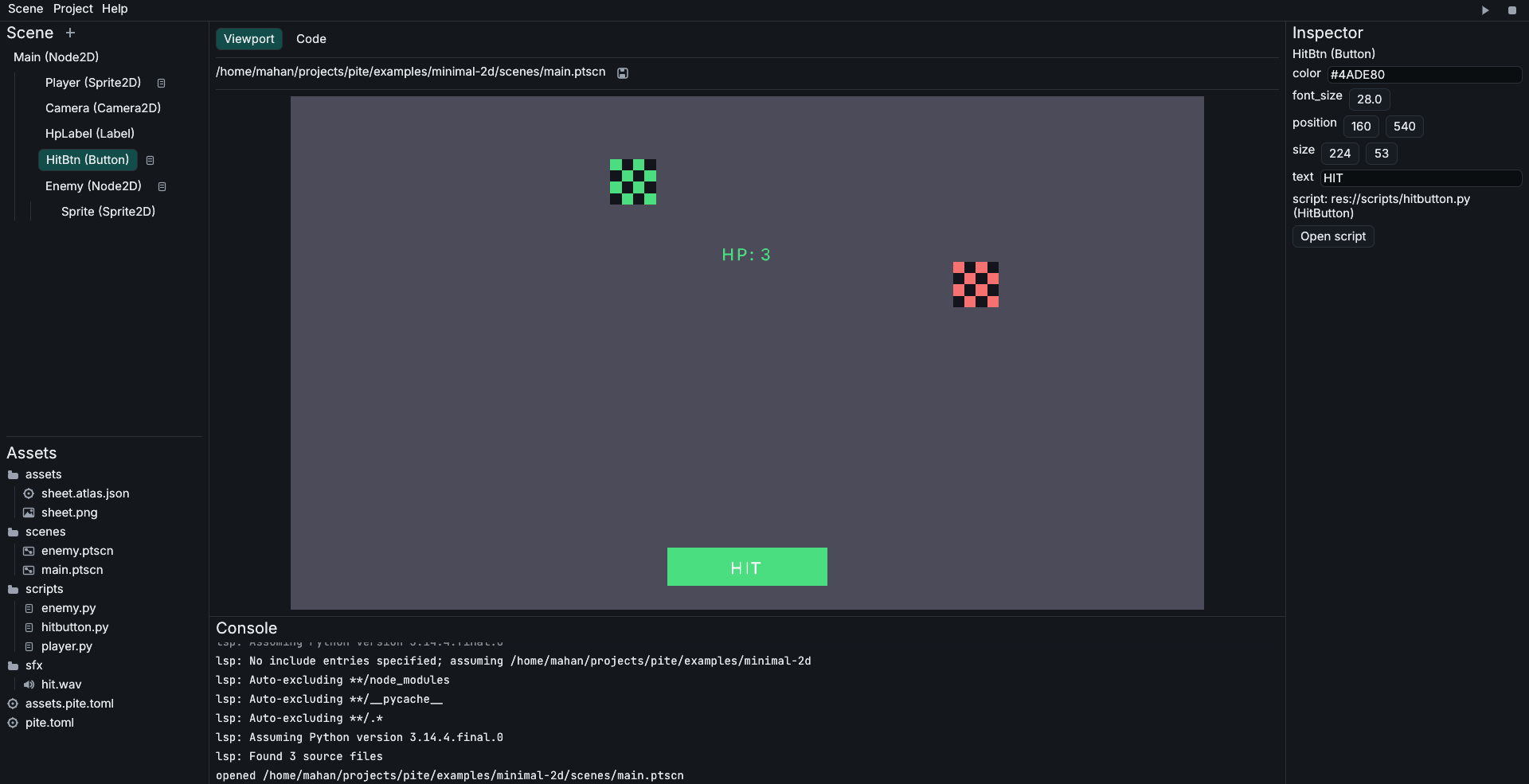
Once Pite is installed, run these three commands in terminal to create a new project and open the editor:
Press the ▶ play button in top-right corner of editor to test the template game! Also pite run inside project folder starts the game directly.
Why Pite?
-
Python-first Script in a high-level language you already know.
-
Scene tree, not ECS Readable, editable, source-controlled scenes.
-
~20 MB exports Hello-world on Windows1. No Python install needed.
-
Real editor Viewport, inspector, code completion, error gutter.
Example Script
import pite

class Player(pite.Node2D):
    speed: float = 200.0

    def _process(self, delta: float):
        if pite.held.right:
            self.position.x += self.speed * delta
FAQ
What platforms are supported in Pite now?
Pite currently supports Windows, Linux, macOS (major desktop platforms) as development environment and target. It means you can make games in one of these platforms and then you can export it to all of them.
Do I have to install Rust and Python to export games?
No, Pite fetches Python and engine binary from the internet at export time (and stores them inside ~/.cache/pite/toolchains). But you must have Python installed on your device to run games inside editor.
For more details on Python bundling and runtime resolution, see the Export Guide.
-
Measured on the
minimal-2dtemplate with Pite v0.3.0. ~20 MB on Window, ~36 MB on macOS, ~52 MB on Linux. the difference comes from the Python Standard Library needing different dynamic linkers on each platform. ↩